
Screenshots
Roll All
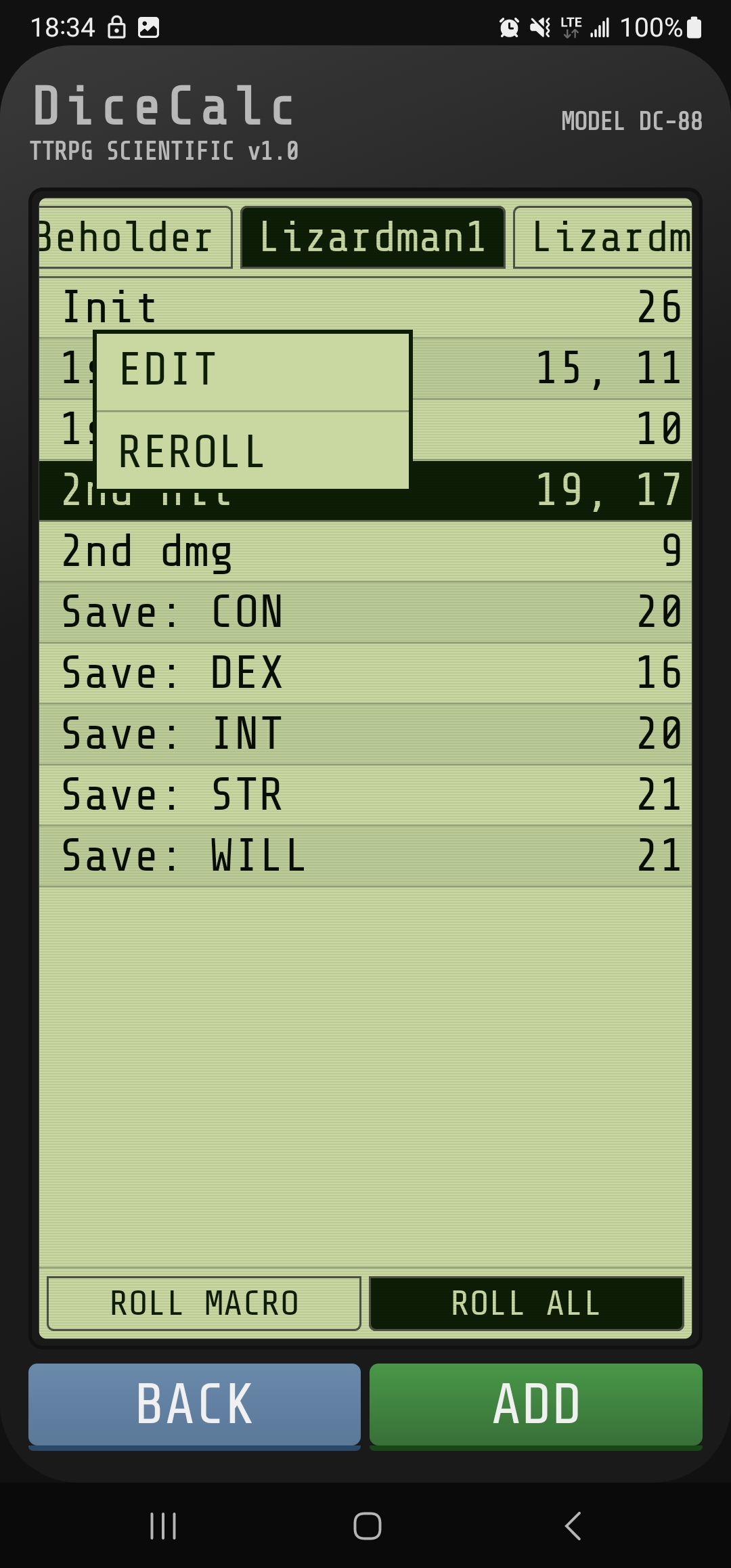
Roll every die a character needs in a single tap. Character tabs hold all of a player's dice macros (or a DM's monster stat blocks), and Roll All fires them simultaneously.
Long-press any individual roll to edit it or reroll just that one without touching the rest. Critical hits flag in red. Sort order from the Roll Macro screen is preserved here.
Every TTRPG Mechanic
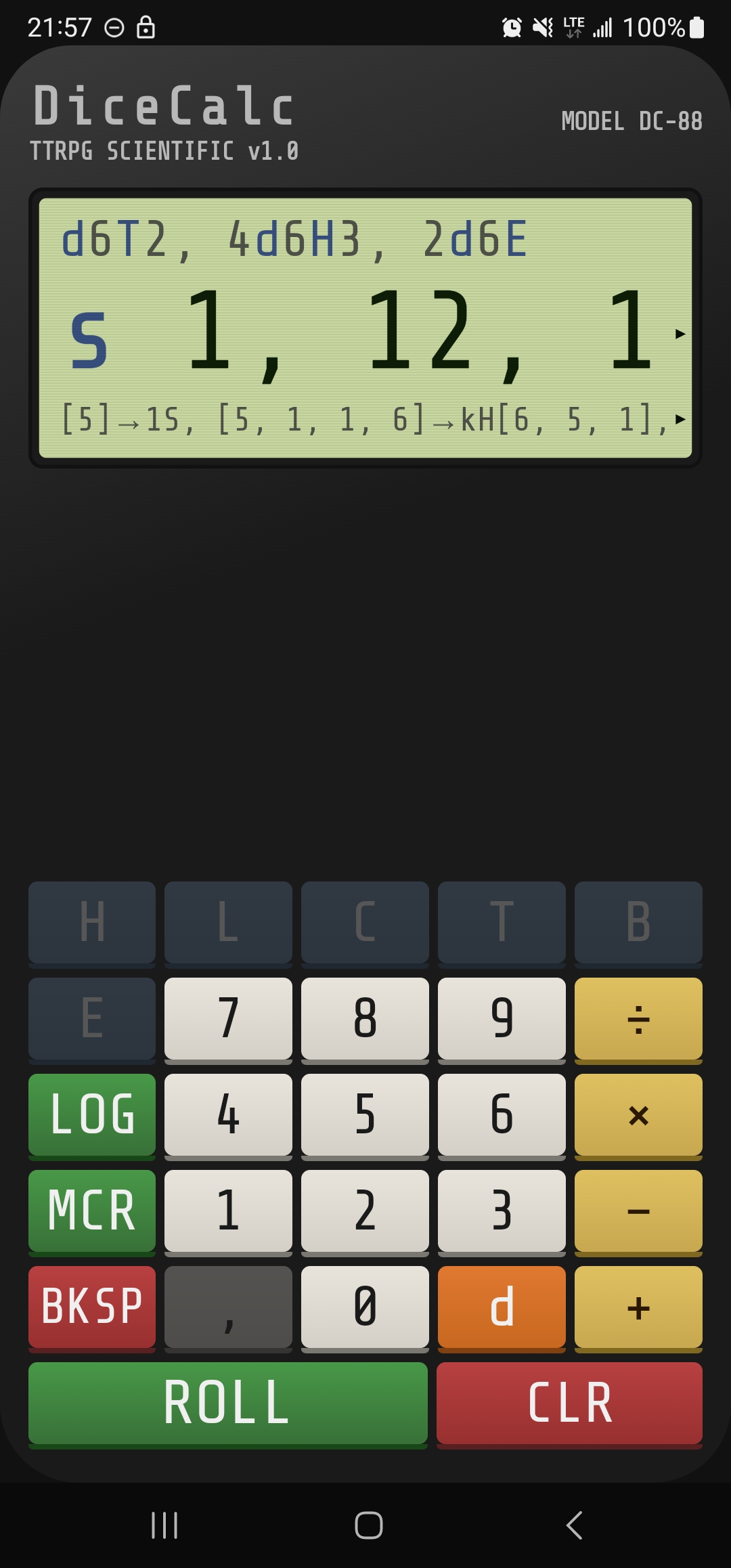
Keep high/low (4d6H3), exploding dice (2d6E), target numbers (d6T2), botches, critical detection, and multi-roll comma separation — combine any of them in a single expression.
Pathological expressions are caught before they run. Offending values are highlighted in red. No infinite loops, no broken math.
300-Roll History
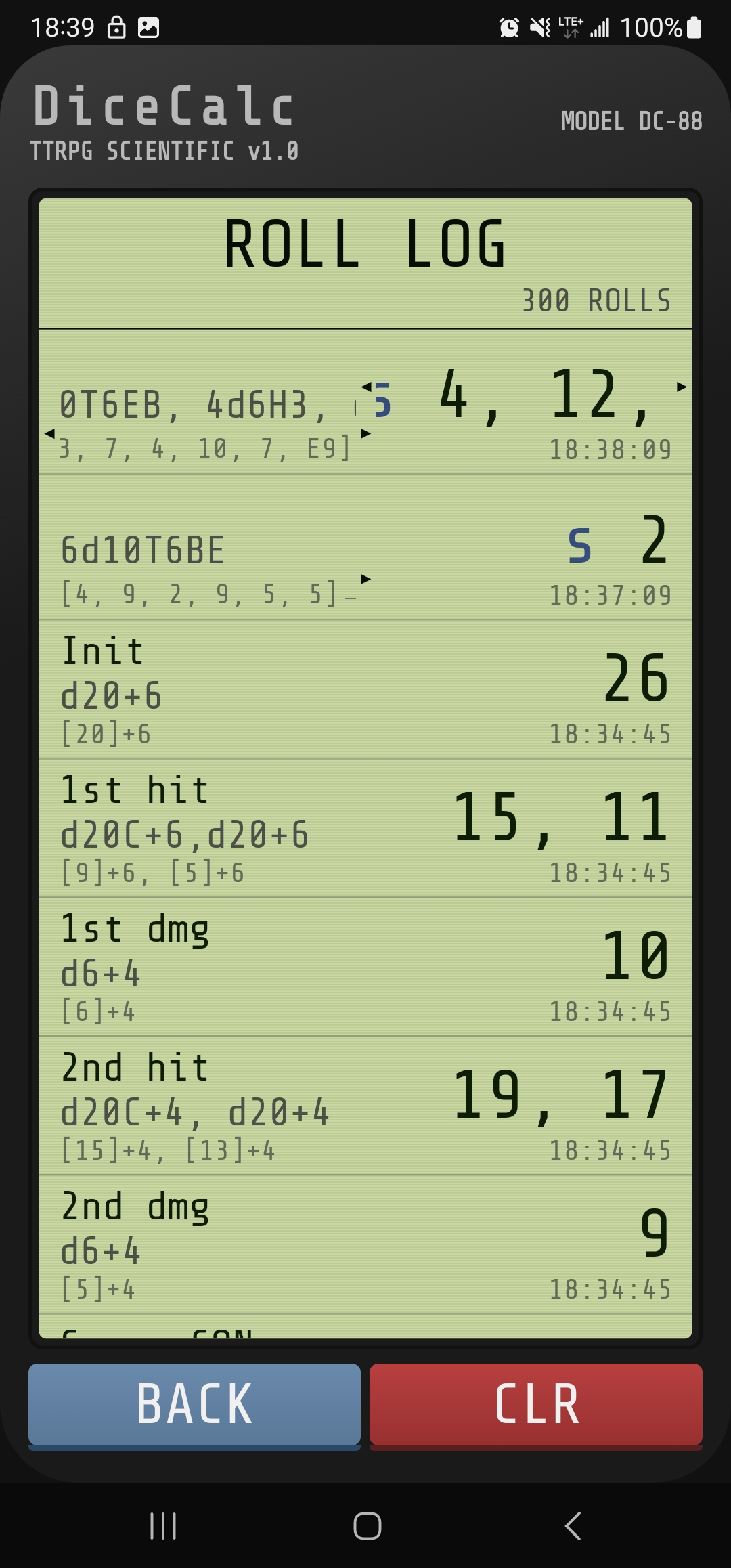
Every roll is logged with full breakdown — expression, individual die results, final value, and timestamp to the second. No truncation. Nothing lost.
Including the rolls from macros, named with the macro that fired them. When the GM asks what you rolled three turns ago, you have the answer.
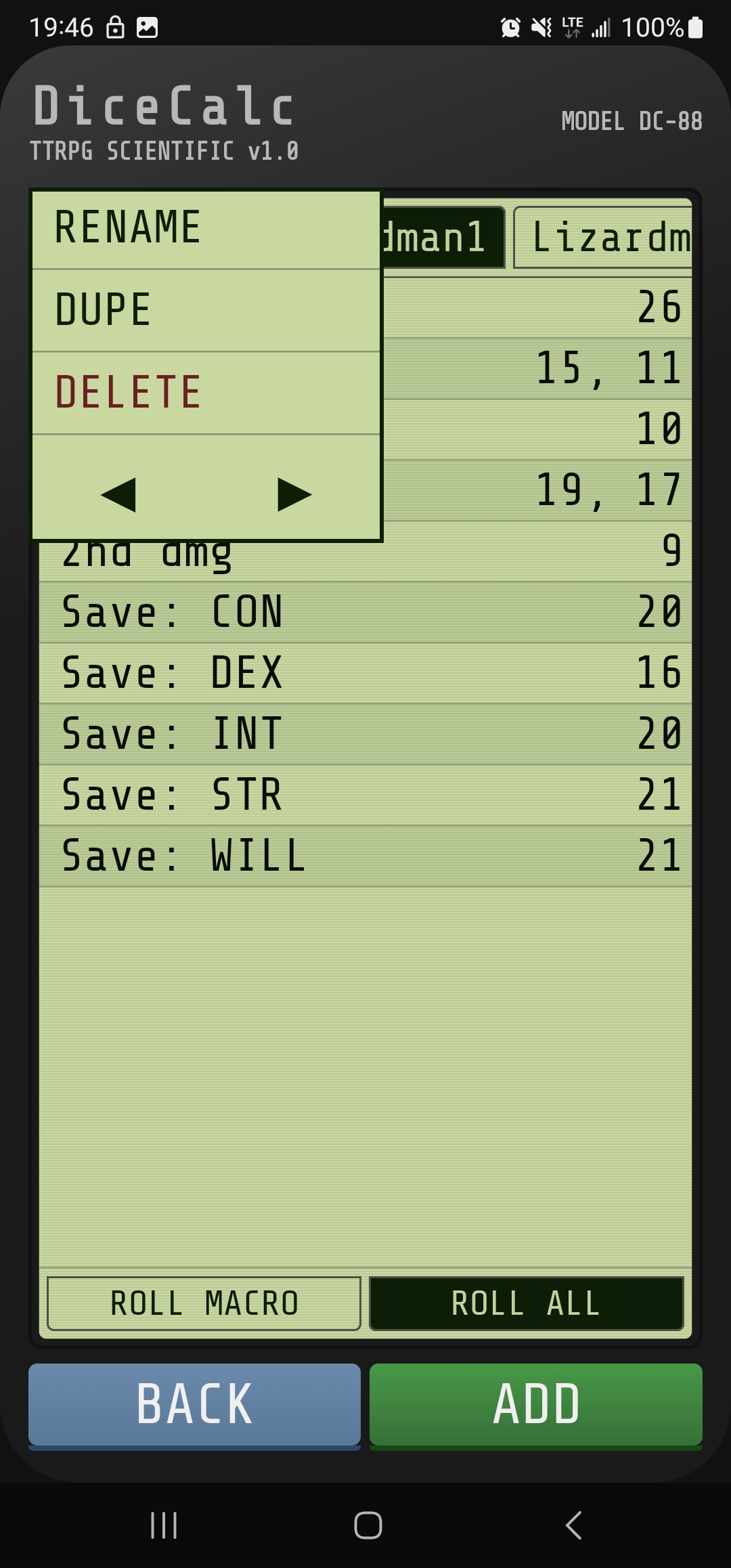
Sortable Tabs and Macros
Long-press any tab to rename, duplicate, delete, or reorder. Same for individual macros within a tab. Duplicated tabs flash red until renamed — a small visual nudge to keep things organized.
Up to 50 tabs, 100 macros per tab. More than enough for the largest campaign or the most complex encounter.
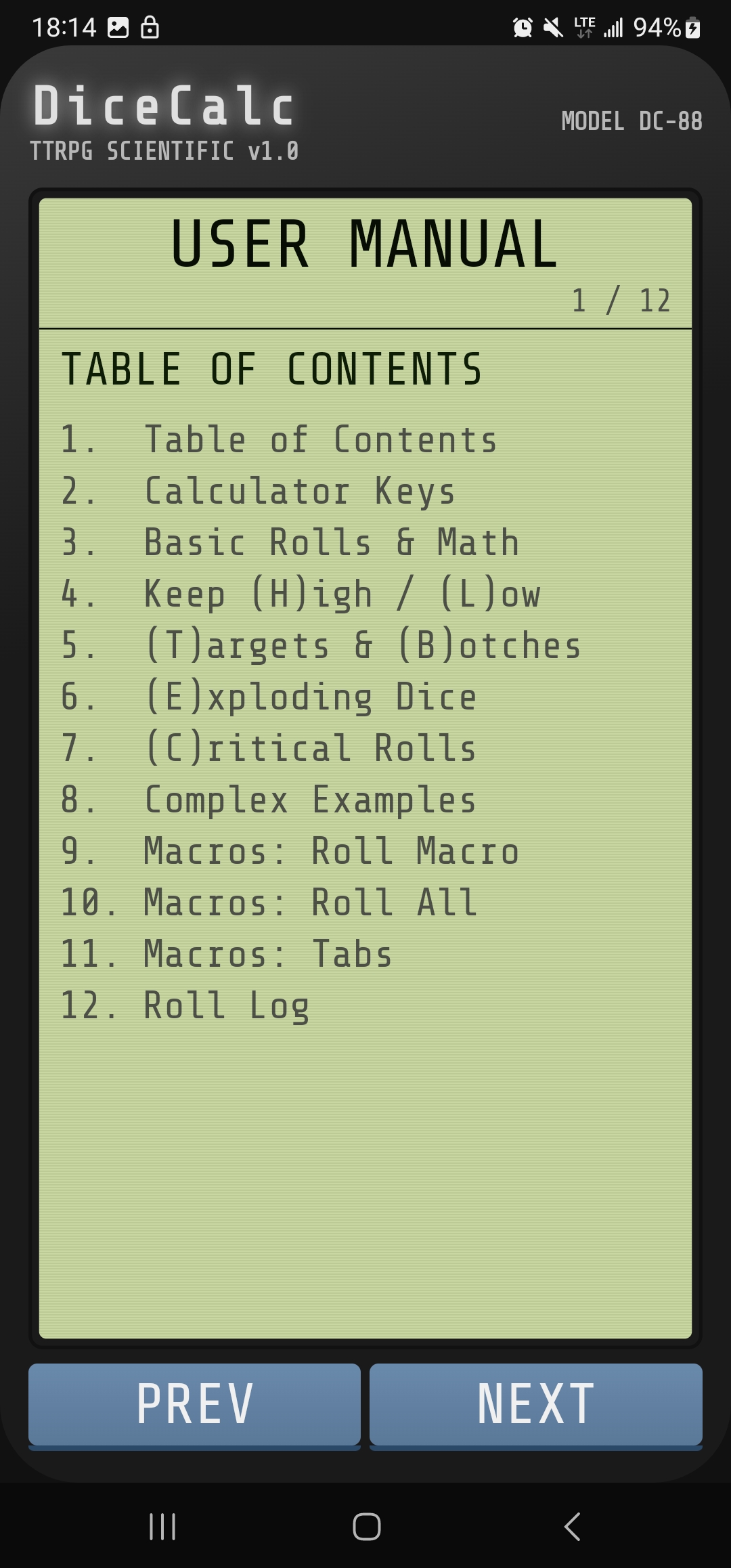
Documented
Twelve pages of in-app documentation cover every feature with examples. No need to leave the app to figure out how something works.
Including how the dice engine resolves operator precedence (left-to-right, not traditional order of operations) and the constraints that prevent pathological expressions.
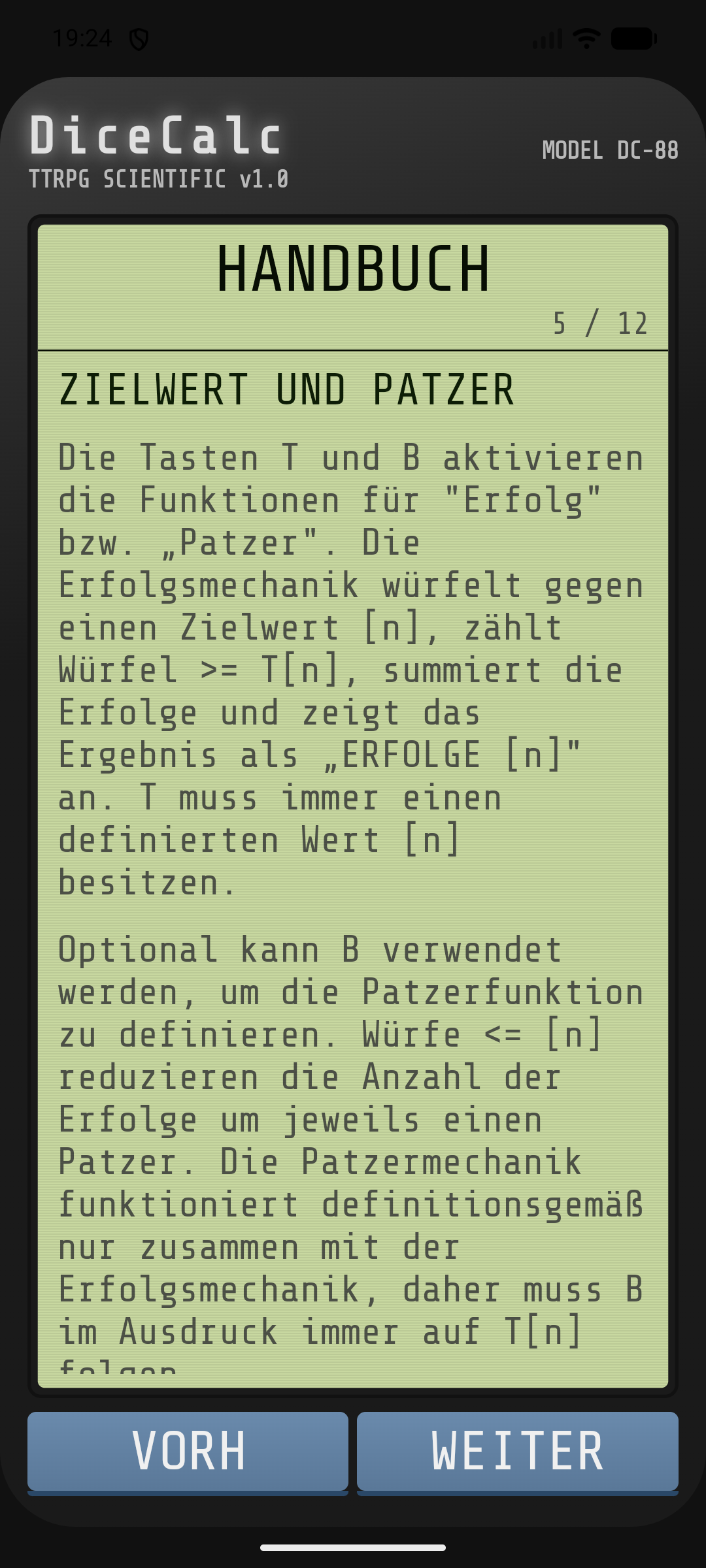
Seven Languages
English, Spanish, Portuguese, German, French, Italian, and Polish. UI labels, error messages, and the full user manual — all translated.
The custom keyboard adapts per locale, with long-press diacritics for accented characters. German users get QWERTZ. Polish users get the eight diacritics that make names look right.